Software Unreal Engine 5
Roles Technical Designer
Languages Used Blueprints
Type University Group Project
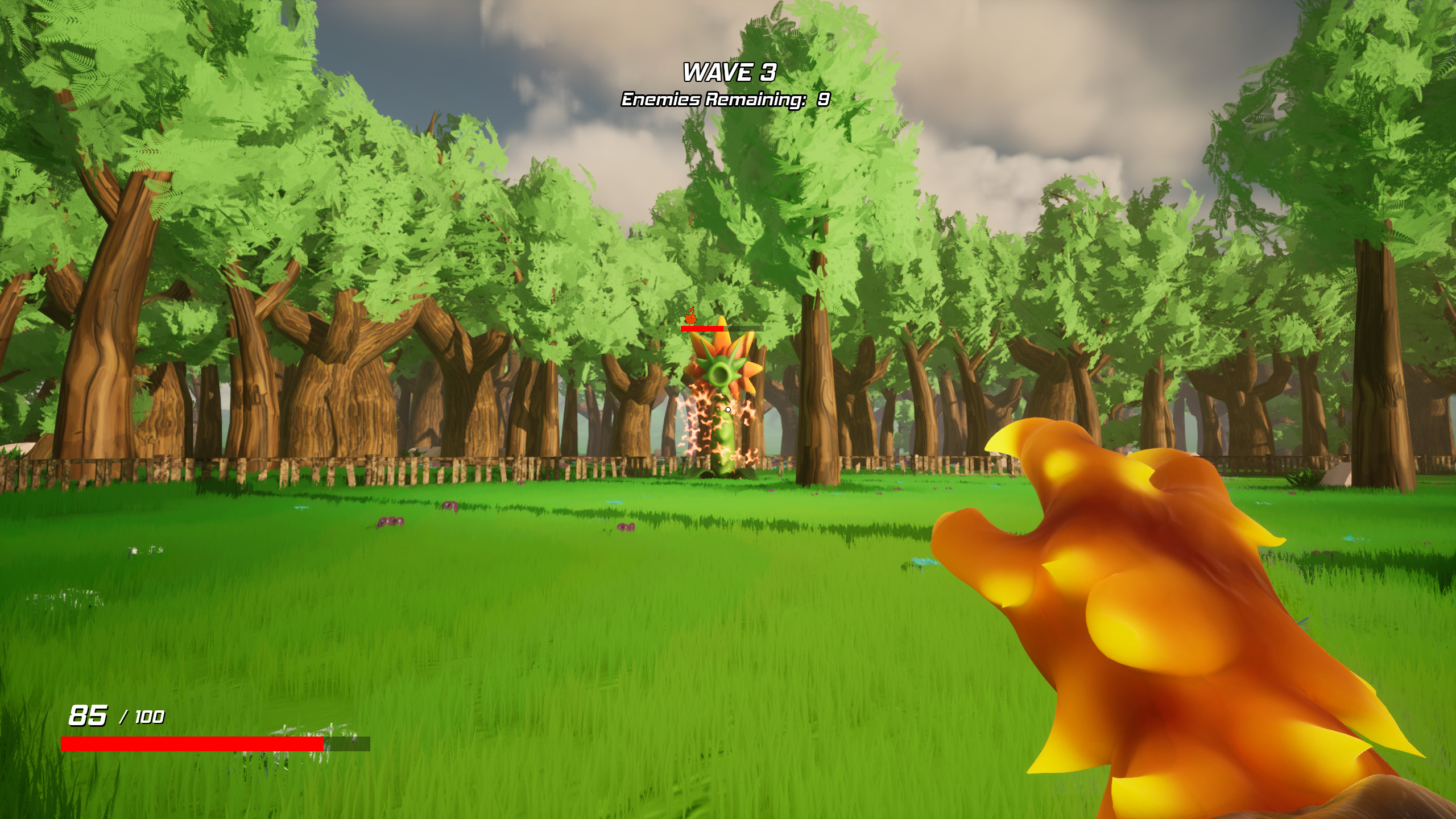
Plant Fighter is an Arena Shooter with Roguelike features that I developed as a Technical Designer with others in a team totalling 6 in my third year at the University of Bolton.
Gameplay Design
When designing the gameplay that the game would have, alongside the other designer working on the project, we created our design document. Within the document, we laid out some goals that would help guide our development. These goals included:
– Active and Fast Paced Combat
– The ability to have complete freedom with movement
– Varied experiences via our “Infusion” system
– Influential and Impactful progression/reward
These goals specifically influenced my design and development process as a technical designer, helping me to create baseline experience for what player will undertake during a play through.
Shooting System
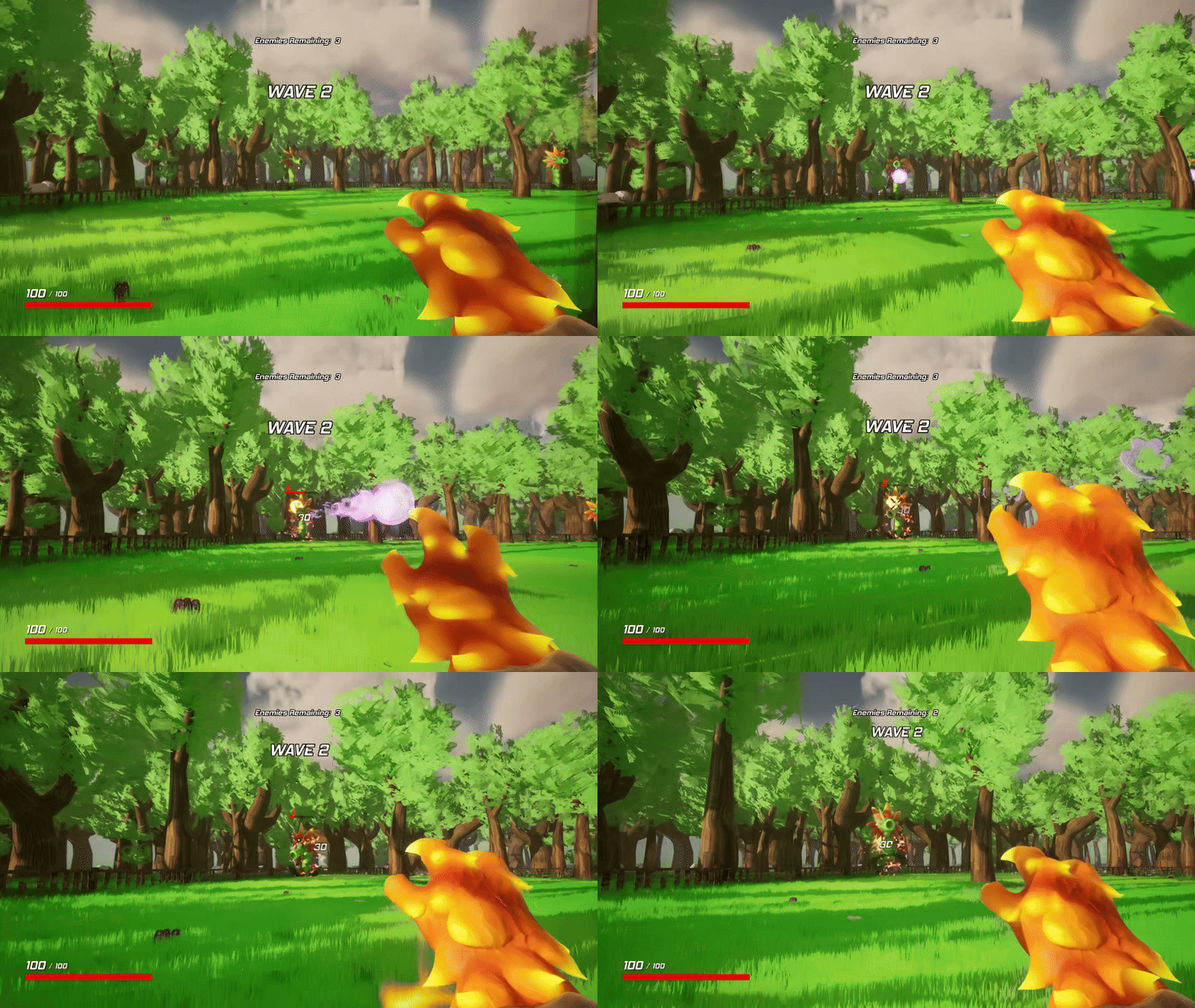
Plant Fighter has a very simple shooting system that is influenced by the choices that the player makes prior to starting a run. These choices are explained in the Infusions System section. The system usually runs on a line trace or “hit scan” system, however one Infusion turns it into a projectile.
Blueprint Code

On input press, the game checks if the player has previously shot already, if not then it will switch depending on the infusion Enum, previously saved in the game instance. Depending on the infusion, it will start the shooting animation for the specific infusion mesh. It will then run the specific shooting function for the specified infusion and register a shot being fired. It will then start the firerate timer, resetting the shot reset Boolean to false, re enabling the ability to shoot.
Infusions System
The infusions system works as a way for the player to choose a “loadout” so to speak. The player chooses a specific potion to infuse, in which changes how the player will shoot. Depending on the potion, the player’s health, damage, movement speed and firerate will all change, as well as potential debuffs to the enemy. For example, the Fire Potion will add a burn to the enemy, where as the Ice Potion will slow the enemies down.

Code
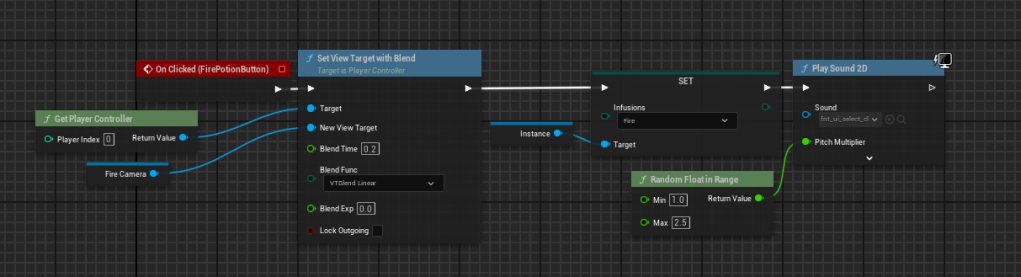
Depending on the potion that is clicked, it moves the camera to that potion and sets the Enum to that specific potion and saves it within the game instance.
Rewards & Upgrades System
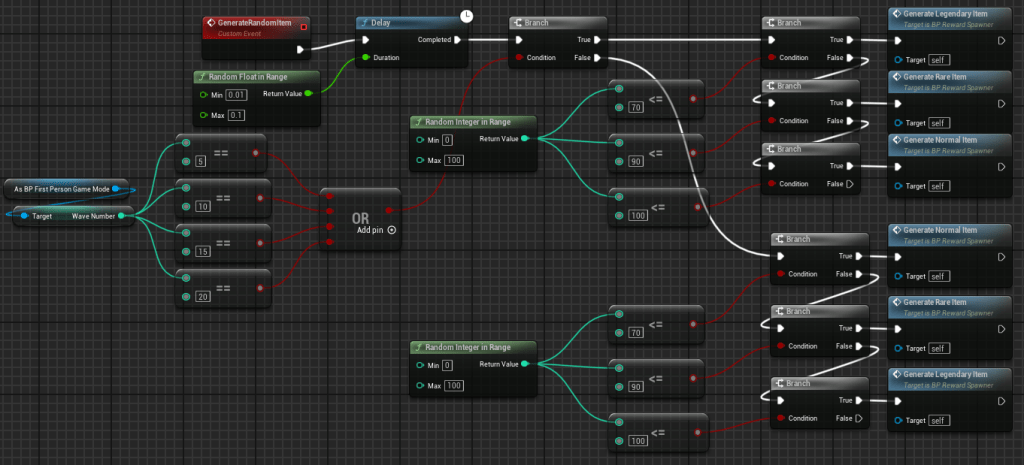
The rewards and upgrades are directly tied to wave progression. When the player completes a wave, the are gifted with the option of a reward. These rewards have different rarities with different spawn rates.
(The “spawn rates code” demonstrated below is the iteration developed during project development, if I was to go back in time and redo this, I would use a data table with specific values and chances to make the spawn rates much more efficient)
Spawn Rates Code
Rewards Code
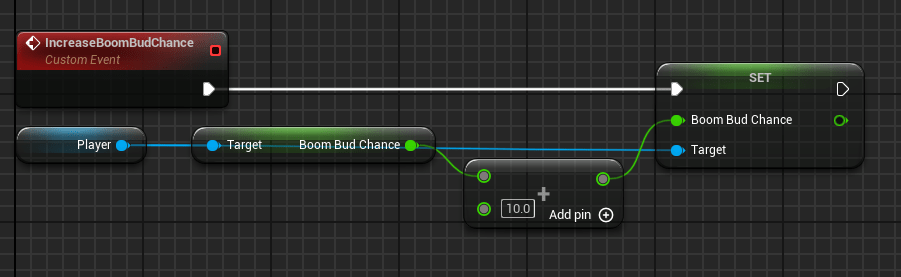
Each reward changes a value in the player blueprint, increasing or decreasing a variable each time a reward is picked up. This example is exactly the same for all 10 upgrades in the game.
Wave Progression
Wave Progression is determined by checking if there are any enemies alive when one dies. If that that counter reaches 0 then it starts a function, spawning the reward chests. Once the reward chests have been interacted with, it then starts the next wave. The waves scale in difficulty the higher the wave number gets.
Wave Code

 Luca Periti